Bulk import products from Excel or Tally
Use the Import Center to move your existing product list in under 5 minutes.
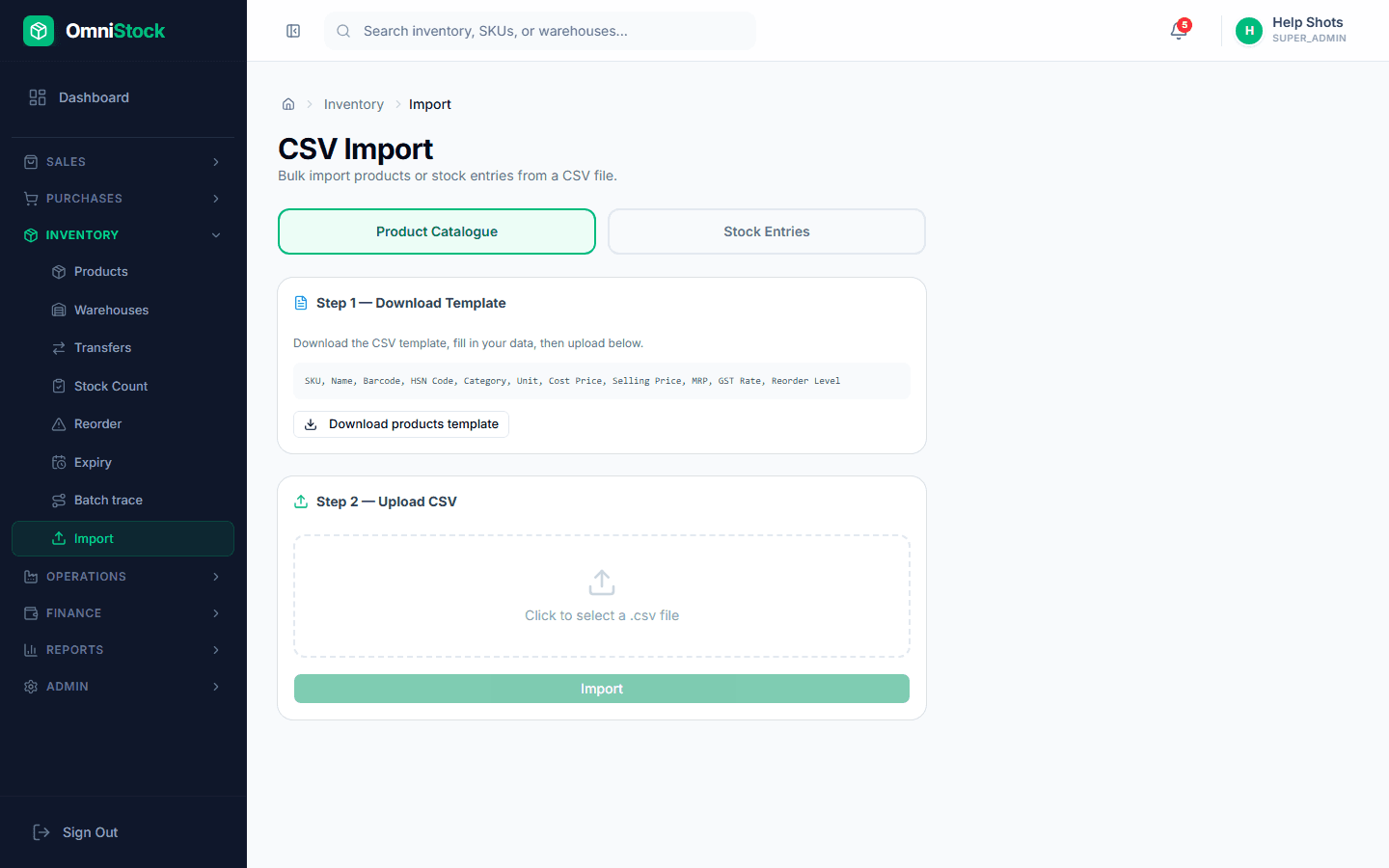
- 1
Download the template
Open Inventory → Import and pick 'Products'. Download the CSV template — it's pre-filled with the exact column names the importer expects.
- 2
Fill the required columns
SKU, Name, Unit, GST Rate, and Reorder Level are mandatory. Category, HSN, and Opening Stock are optional but strongly recommended.
Tip: Leave SKU blank to let the system auto-generate one per row. - 3
Upload the file
Drop the filled CSV back into the importer. A dry-run validates every row and shows exactly which ones will fail before anything is written.
- 4
Review errors and re-upload
Fix any red rows (duplicate SKUs, missing GST rate, bad units) in the CSV and upload again. The importer is idempotent — existing SKUs are updated, not duplicated.
- 5
Confirm the import
Click 'Commit'. The batch runs in the background and writes a job record you can reopen from the Import page later.